Sphere IPTV offer: 12 months $64.99 · only $5.42/month · free 24h trial Try free on WhatsApp →
Buy Sphere IPTV
About 4 minutes

How to Install Sphere IPTV on Android Phones & Tablets (2026)

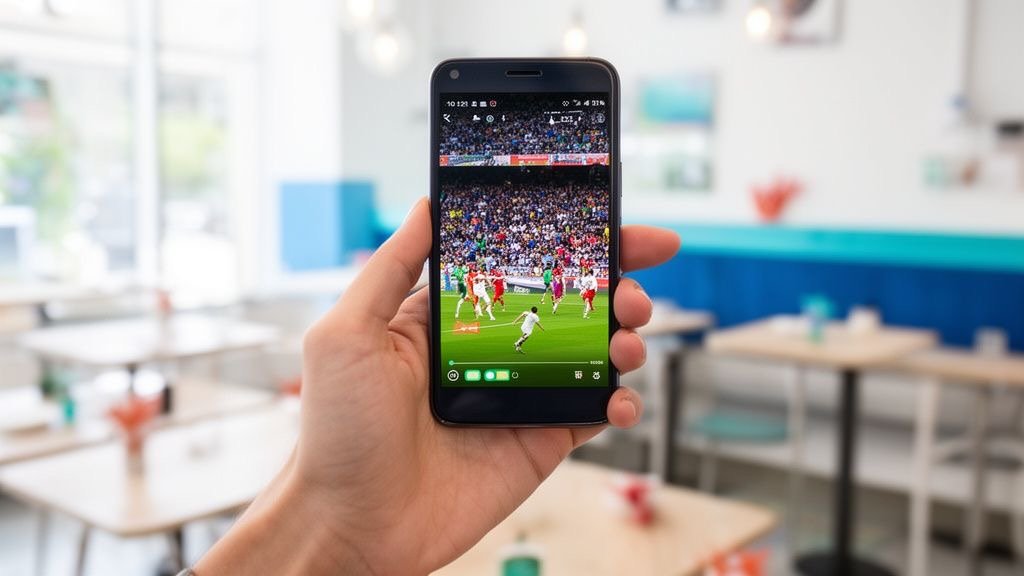
Take Sphere IPTV everywhere on your Android phone or tablet. Players are in the Google Play Store, so setup takes about four minutes — then you can watch live sports on the train or cast to your TV at home.

Get a free trial to test
Sphere IPTV on Android Phones & Tablets
Before you start

What You Need for Sphere IPTV on Android

  • An Android phone or tablet (Android 8+)
  • Your Sphere IPTV Xtream codes
  • Wi-Fi or 4G/5G data

Step-by-step: Sphere IPTV on Android

  1. Open Google Play

    Open the Play Store on your phone or tablet.

  2. Install a player

    Search for IPTV Smarters Pro or XCIPTV and install it.

  3. Choose Xtream Codes

    Open the app and tap Add user → Login with Xtream Codes API.

  4. Paste your Sphere IPTV login

    Copy the server URL, username and password from the Sphere IPTV WhatsApp message and paste them in.

  5. Watch or cast

    Open Live TV or Movies. Tap the cast icon to send Sphere IPTV to a Chromecast or Android TV.

Apps

Best Apps for Sphere IPTV on Android

AppWhy use it with Sphere IPTV
IPTV Smarters Proall-in-one live TV + VOD, great on phones
XCIPTVfree, light and clean
TiviMate (tablet)TV-guide layout on big tablets

App names belong to their developers. Sphere IPTV is not affiliated with these apps. Some players charge their own small fee.

Tips for smooth Sphere IPTV streaming on Android

  • Enable hardware decoding in the player settings for smoother 4K.
  • HD uses about 1.5–3 GB per hour on mobile data — switch to SD channels on the go.
  • Lock the screen orientation to landscape for sports.

Still buffering? Read the Sphere IPTV buffering fix guide or the Sphere IPTV error fixes, or message our team on WhatsApp — we'll check your setup live.

Sphere IPTV on other devices

FAQ

Sphere IPTV on Android — FAQ

Does Sphere IPTV work on 4G and 5G?

Yes. 10 Mbps is enough for HD; 25 Mbps or more for 4K.

Can I use Sphere IPTV on my phone and TV?

Each plan includes 1 connection, so you can switch between devices but watch on one at a time.

Which Android app is best for Sphere IPTV?

IPTV Smarters Pro for phones, TiviMate for tablets and Android TV.

Plans

Sphere IPTV Plans

Starter

Sphere IPTV 1 Month

$9.99USD

$9.99 / month · one payment

Flexible — no commitment

  • 25,000+ live channels
  • 150,000+ movies & series
  • Sports, PPV & football in 4K
  • USA, UK, Canada & Arabic channels
  • TV guide (EPG) & catch-up
  • Anti-freeze servers · 99.9% uptime
  • 1 device connection
  • All devices & IPTV apps
  • Instant activation (5–20 min)
  • 24/7 WhatsApp support
Buy 1 Month
Best Value

Sphere IPTV 12 Months

$64.99USD

$5.42 / month · one payment

Save $54.89 (46%) vs monthly

  • 25,000+ live channels
  • 150,000+ movies & series
  • Sports, PPV & football in 4K
  • USA, UK, Canada & Arabic channels
  • TV guide (EPG) & catch-up
  • Anti-freeze servers · 99.9% uptime
  • 1 device connection
  • All devices & IPTV apps
  • Instant activation (5–20 min)
  • 24/7 WhatsApp support
Buy 12 Months
Popular

Sphere IPTV 6 Months

$39.99USD

$6.67 / month · one payment

Save $19.95 (33%) vs monthly

  • 25,000+ live channels
  • 150,000+ movies & series
  • Sports, PPV & football in 4K
  • USA, UK, Canada & Arabic channels
  • TV guide (EPG) & catch-up
  • Anti-freeze servers · 99.9% uptime
  • 1 device connection
  • All devices & IPTV apps
  • Instant activation (5–20 min)
  • 24/7 WhatsApp support
Buy 6 Months

Free 24h trial before you pay · Secure payment · Instant activation · 24/7 setup help

Ready to watch Sphere IPTV on Android?

Join thousands of satisfied Sphere IPTV (SphereIPTV) customers. Start watching your favourite content without buffering in minutes.

Free trial Buy Sphere IPTV