Sphere IPTV offer: 12 months $64.99 · only $5.42/month · free 24h trial Try free on WhatsApp →
Buy Sphere IPTV
About 5 minutes

How to Install Sphere IPTV on iPhone, iPad & Apple TV (2026)

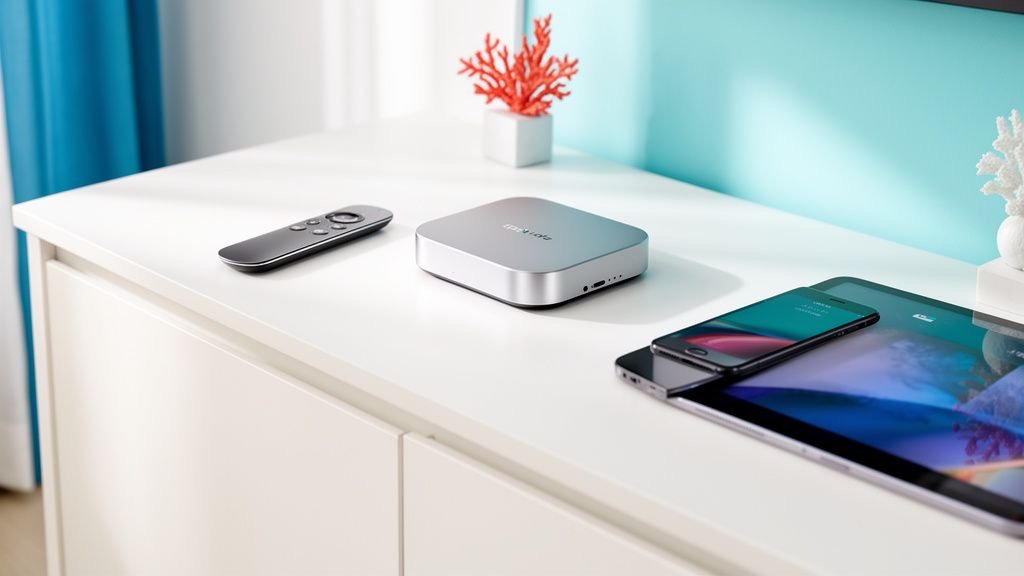
Apple TV 4K is one of the best boxes for Sphere IPTV, and the same players work on iPhone and iPad so you can take Sphere IPTV anywhere. Install an IPTV player from the App Store and add your login — no workarounds needed.

Get a free trial to test
Sphere IPTV on iPhone, iPad & Apple TV
Before you start

What You Need for Sphere IPTV on iPhone & Apple TV

  • Apple TV 4K / HD, or an iPhone/iPad on iOS 15+
  • Your Sphere IPTV Xtream codes or M3U link
  • An Apple ID

Step-by-step: Sphere IPTV on iPhone & Apple TV

  1. Open the App Store

    On Apple TV, iPhone or iPad open the App Store.

  2. Install a player

    Search for IPTVX, iPlayTV or Smarters Player Lite and install it.

  3. Add a playlist

    Open the app and choose Add playlist → Xtream Codes (or M3U URL).

  4. Enter your Sphere IPTV login

    Type your Sphere IPTV server URL, username and password. On Apple TV, use the Remote in your iPhone's Control Centre to type faster.

  5. Watch

    Wait for channels and the guide to load, then watch Sphere IPTV in up to 4K. On iPhone, use AirPlay to send it to your TV.

Apps

Best Apps for Sphere IPTV on iPhone & Apple TV

AppWhy use it with Sphere IPTV
IPTVXbeautiful interface and EPG, syncs across Apple devices
iPlayTVfast zapping, made for tvOS
Smarters Player Litefree and simple

App names belong to their developers. Sphere IPTV is not affiliated with these apps. Some players charge their own small fee.

Tips for smooth Sphere IPTV streaming on iPhone & Apple TV

  • Enable 'Match Frame Rate' in Settings → Video and Audio for smoother sports.
  • Use Ethernet on Apple TV 4K for the most stable 4K streams.
  • Copy-paste your login from WhatsApp on iPhone to avoid typos.

Still buffering? Read the Sphere IPTV buffering fix guide or the Sphere IPTV error fixes, or message our team on WhatsApp — we'll check your setup live.

Sphere IPTV on other devices

FAQ

Sphere IPTV on iPhone & Apple TV — FAQ

Does Sphere IPTV work on Apple TV?

Yes. Install a tvOS IPTV player from the App Store and add your Sphere IPTV login.

Can I watch Sphere IPTV on iPhone with mobile data?

Yes. HD streams use roughly 1.5–3 GB per hour, so Wi-Fi is better for long matches.

Which Apple app is free?

Smarters Player Lite is free. IPTVX and iPlayTV are paid by their developers.

Plans

Sphere IPTV Plans

Starter

Sphere IPTV 1 Month

$9.99USD

$9.99 / month · one payment

Flexible — no commitment

  • 25,000+ live channels
  • 150,000+ movies & series
  • Sports, PPV & football in 4K
  • USA, UK, Canada & Arabic channels
  • TV guide (EPG) & catch-up
  • Anti-freeze servers · 99.9% uptime
  • 1 device connection
  • All devices & IPTV apps
  • Instant activation (5–20 min)
  • 24/7 WhatsApp support
Buy 1 Month
Best Value

Sphere IPTV 12 Months

$64.99USD

$5.42 / month · one payment

Save $54.89 (46%) vs monthly

  • 25,000+ live channels
  • 150,000+ movies & series
  • Sports, PPV & football in 4K
  • USA, UK, Canada & Arabic channels
  • TV guide (EPG) & catch-up
  • Anti-freeze servers · 99.9% uptime
  • 1 device connection
  • All devices & IPTV apps
  • Instant activation (5–20 min)
  • 24/7 WhatsApp support
Buy 12 Months
Popular

Sphere IPTV 6 Months

$39.99USD

$6.67 / month · one payment

Save $19.95 (33%) vs monthly

  • 25,000+ live channels
  • 150,000+ movies & series
  • Sports, PPV & football in 4K
  • USA, UK, Canada & Arabic channels
  • TV guide (EPG) & catch-up
  • Anti-freeze servers · 99.9% uptime
  • 1 device connection
  • All devices & IPTV apps
  • Instant activation (5–20 min)
  • 24/7 WhatsApp support
Buy 6 Months

Free 24h trial before you pay · Secure payment · Instant activation · 24/7 setup help

Ready to watch Sphere IPTV on iPhone & Apple TV?

Join thousands of satisfied Sphere IPTV (SphereIPTV) customers. Start watching your favourite content without buffering in minutes.

Free trial Buy Sphere IPTV